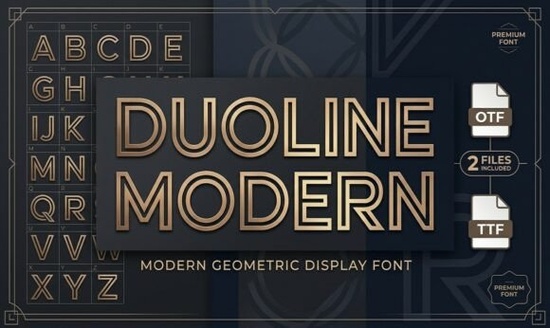
If you are looking for a typeface that combines geometric precision with a striking visual twist, the Duoline Modern Font is a fantastic option. This double-line display font uses parallel inline strokes to create a sleek, futuristic look without losing readability. It works especially well for projects that need a sporty or tech-inspired vibe, making it a solid choice for print-on-demand sellers and graphic designers who want their headlines to stand out.
What makes a double-line font work for modern branding?
When browsing the display font category, you will notice that inline styles are highly sought after for contemporary projects. The magic of this specific typeface lies in its parallel lines. Instead of using a solid fill, the letters are drawn with two distinct strokes. This creates a sense of depth and movement that solid fonts simply cannot achieve. It gives the text a lightweight yet highly structured appearance, which is perfect for brands that want to appear innovative, fast, and forward-thinking.
Because the letters are constructed from basic geometric shapes, the overall feel remains very clean. You get the visual interest of a complex design without the clutter. This balance is exactly what small businesses need when they want to look professional but still stand out on a crowded social media feed or a busy streetwear rack.
Where should you use an inline geometric typeface?
This style is not meant for long paragraphs of body text. It is a display typeface, which means it shines when used at larger sizes. Here are the most effective ways to apply it in your creative projects:
- Sports apparel and activewear: The parallel lines give a sense of speed and motion, making it ideal for gym wear, team jerseys, and athletic brand logos.
- Tech branding and startups: The geometric, futuristic vibe aligns perfectly with software companies, app interfaces, and modern tech hardware.
- Minimalist posters and architectural layouts: The clean lines complement the structured, grid-based nature of architectural design and modern art prints.
- Modern monograms and logos: The double-line effect adds a premium, custom feel to lettermarks and brand initials.
If you are working on a streetwear design that needs a bolder, heavier feel for the main graphic, you can pair this inline style with a thicker option like the Chunky Angela display style to create a strong visual hierarchy. Alternatively, if your project requires a 3D effect or a shadowed look for main titles, you can use the Stay Chunky Shadow display font alongside your inline text for a layered poster design.
How do you pair this font with other styles?
Pairing an inline display font requires a bit of care. Since the main headline already has a lot of visual texture, your secondary fonts should be simple and highly readable. A clean, single-weight sans-serif or a classic, unadorned serif works best for body copy.
Sometimes, you might want to mix different display styles for a more eclectic look. If you are designing a playful brand identity and want to mix modern tech with a fun, bubbly aesthetic, the Cookie Soda display font is a great companion for secondary headings or sub-text. On the other hand, if you need something with a bit more vintage charm to contrast this modern look, you might also explore the George display typeface for retro-themed projects.
What are the best practices for using inline text in print and digital?
The biggest mistake designers make with double-line fonts is using them at sizes that are too small. When the text shrinks, the parallel lines can bleed together, making the letters look like a blurry, unreadable mess. Always ensure there is enough contrast and space between the inner and outer strokes.
When working with similar double-stroke styles, like the Galio Brothers duo font, always test your text at the final output size. If you are designing for digital screens, check how the inline strokes render on different resolutions. For print, ensure your vector software is set up correctly so the strokes scale perfectly without pixelation.
Quick design checklist before you finalize your project:
- Check the size: Make sure the font is large enough that the double lines remain distinct and clear.
- Keep the background simple: Inline fonts can get lost on busy backgrounds. Use solid colors or very subtle gradients.
- Limit the usage: Use this typeface strictly for headlines, logos, or short phrases. Do not use it for paragraphs.
- Test the contrast: Ensure the color of the font contrasts sharply with the background so the inline effect pops.
By following these simple steps, you can make the most of this striking typeface and give your next design project a crisp, professional finish.
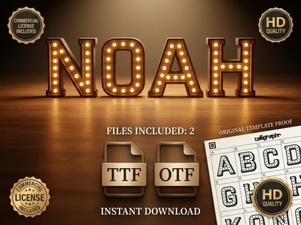 Noah Font: Free Serif Typeface for Creative Projects
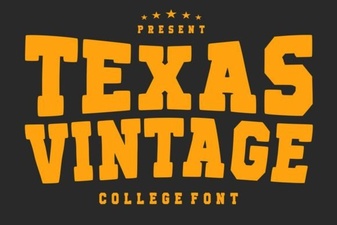 Texas Vintage Fonts for Authentic Project Style
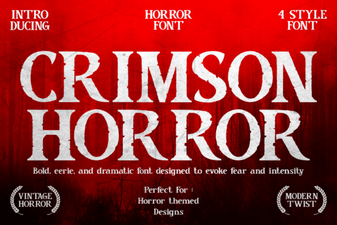 The Crimson Horror Font: a Designer's Guide
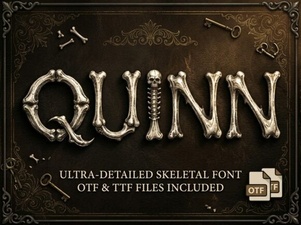 Quinn Font: Creative Design and Usability Guide
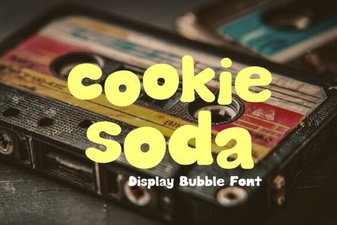 Designing with Cookie Soda Font for Modern Digital Projects
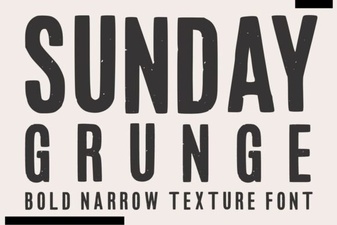 Sunday Grunge Fonts for Raw Creative Projects