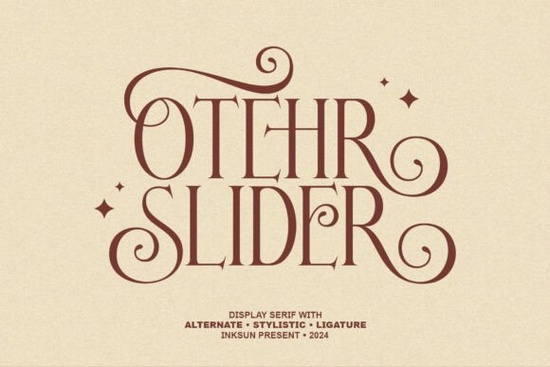
When you need a typeface that balances vintage charm with modern sophistication, finding the right display serif can be tricky. Other Slider is a captivating modern display font that blends classic elegance with a whimsical, retro-inspired flair. It features high-contrast strokes and elaborate swashes, making it an excellent choice for projects that need a touch of magic and rhythmic movement.
What makes this typeface stand out for branding and packaging?
Designers and small business owners often struggle to find a font that feels both luxurious and approachable. This specific typeface solves that problem by integrating star-shaped decorative accents directly into the letterforms. These subtle details add a sparkling, dreamy quality that immediately catches the eye.
For luxury branding and creative packaging, the fluid ligatures create a seamless reading experience. The sophisticated curves ensure that your logo or product label looks polished, whether it is printed on a matte box or embossed on heavy cardstock. If you are exploring similar styles for your boutique, you might also want to look at this peach-inspired serif to see how different retro typefaces handle swashes and curves in a commercial setting.
How well does it work for print-on-demand and digital projects?
Print-on-demand sellers and creative hobbyists need versatile tools that perform well across different mediums. Because this font includes functional numerals and full multilingual support, it is highly practical for global audiences. You can use it for everything from podcast cover art to intricate wedding invitations.
The high-contrast strokes look incredibly sharp on digital screens, making it a strong candidate for blog headers, photography watermarks, and social media quotes. When building a cohesive brand identity, it helps to test your primary choice alongside secondary options, like the slider serif variation available in the same collection, to ensure visual harmony across your entire shop.
For editorial layouts like magazines and books, the elaborate swashes provide enough personality to keep readers engaged without sacrificing readability. The uppercase and lowercase characters are carefully balanced, so your body text and headings will look intentional and well-crafted.
What file formats are included and how do I use them?
Understanding which files to use for your specific project saves a lot of time and prevents formatting issues. This package includes three standard formats to cover both print and digital needs:
- OpenType (OTF) and TrueType (TTF): These are your go-to files for desktop design software like Adobe Illustrator, Photoshop, or Canva. They are perfect for creating print materials, logos, and physical products.
- Web Open Font Format (WOFF): This format is optimized for websites. It ensures your typography loads quickly and displays correctly across different web browsers without slowing down your page speed.
Having all three formats in one download means you do not have to hunt for a web-safe version later. You can simply install the OTF or TTF on your computer for daily design work, and upload the WOFF file to your website server when you are ready to launch.
Which projects benefit most from star-shaped accents?
Not every project needs heavy decoration, so knowing when to use these specific features is important. The star-shaped accents and fluid ligatures work best in short bursts of text. They are ideal for:
- Short quotes and typography posters
- Product names on cosmetic or jewelry packaging
- Headings in lifestyle magazines
- Invitations for special events like anniversaries or galas
If you are writing a long paragraph, it is better to stick to the standard characters without the swashes to maintain a clean, readable layout. You can always mix and match the decorative capitals with simpler lowercase letters to create a nice visual hierarchy.
Quick Setup Checklist for Your Next Project
To get the best results when installing and using this font, follow these practical steps:
- Install the correct file: Double-click the OTF or TTF file and select "Install" for your operating system before opening your design software.
- Enable ligatures: In programs like Illustrator or InDesign, make sure the "Standard Ligatures" and "Contextual Alternates" options are turned on in your OpenType panel to see the fluid connections.
- Test the scale: Print a small test page to check how the high-contrast strokes hold up at your desired size, especially if you are using thin materials.
- Pair with a simple sans-serif: Balance the ornate display letters with a clean, minimal sans-serif for your body text to keep the overall design grounded.
 Peache Mango Font for Fresh & Creative Web Designs
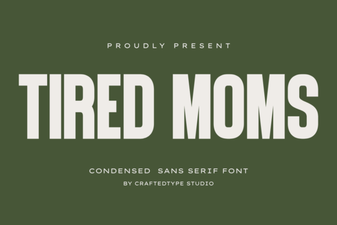 Free Font Designs for Tired Mom Projects
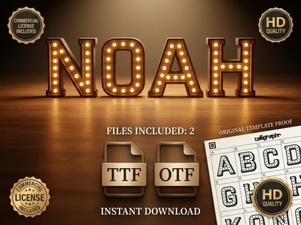 Noah Font: Free Serif Typeface for Creative Projects
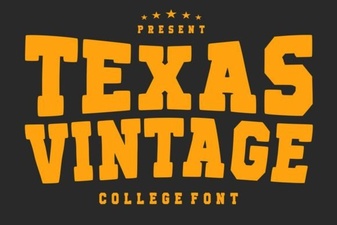 Texas Vintage Fonts for Authentic Project Style
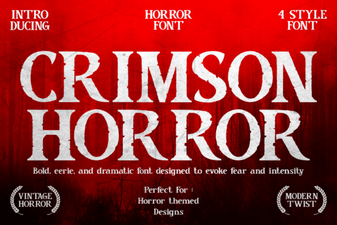 The Crimson Horror Font: a Designer's Guide
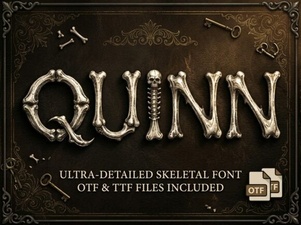 Quinn Font: Creative Design and Usability Guide